
Digital Planning for Beginners: How to Get Started
So you’ve seen the buzz about digital planning on social media and you’re thinking… “Should I give this a try?”
Girl, the answer is a big YES. If you’ve been craving a more organized life—with a little aesthetic joy sprinkled on top—digital planning might just be your new favorite ritual.
Today, I’m going to walk you through the basics of getting started with digital planning using one of my favorite apps: Goodnotes. Whether you're a pen-and-paper girl at heart or a tech-loving planner babe, this beginner’s guide will help you ease into digital planning without overwhelm.
What Is Digital Planning, Anyway?
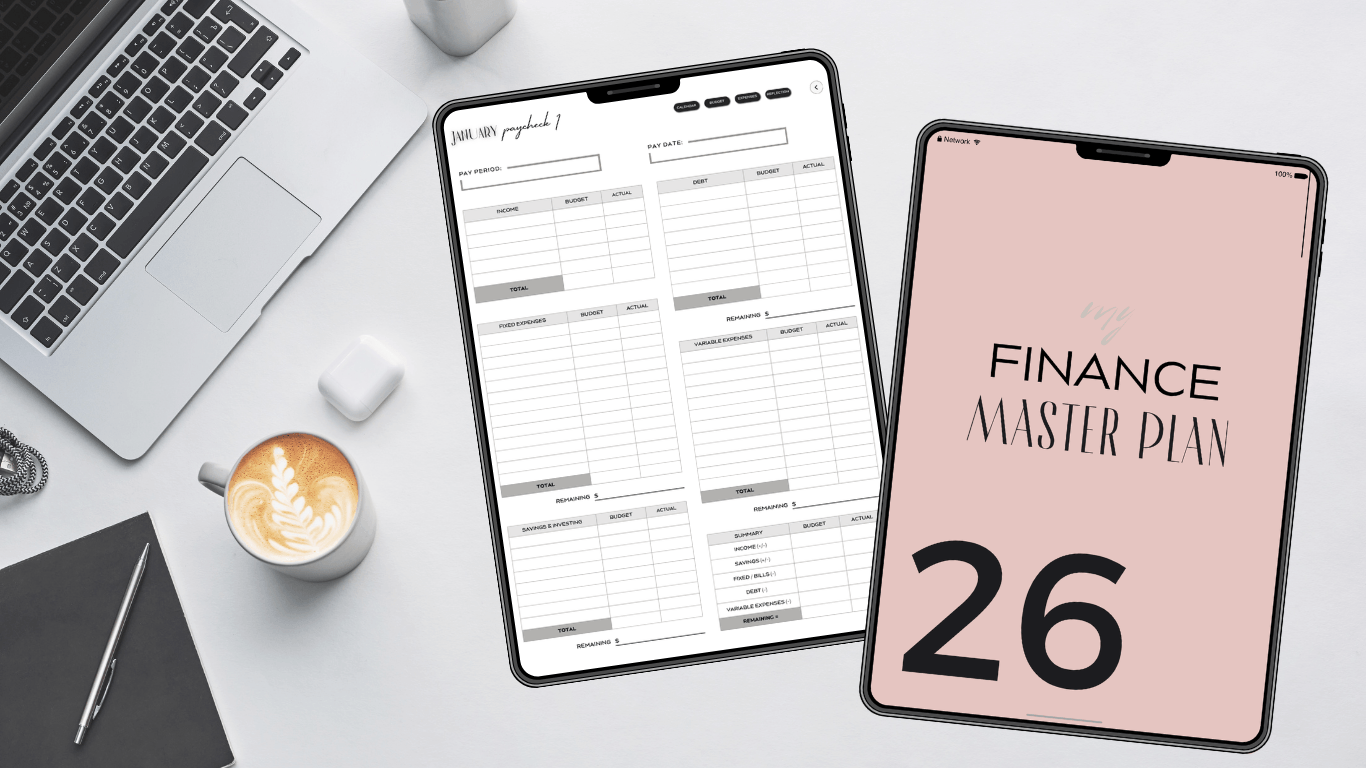
Digital planning is exactly what it sounds like: planning your life—but instead of using a paper planner, you do it on a tablet (like an iPad) using a stylus (like an Apple Pencil). You use a digital planner file—usually a PDF that mimics a paper planner—and write, draw, or type on it using an app like Goodnotes 6.
It’s like the best of both worlds: the feeling of handwriting + the flexibility and clutter-free vibe of digital tools.
💕 Why Goodnotes 6?
There are several planning apps out there, but Goodnotes 6 is a favorite in the digital planning community for a reason. It’s user-friendly, beautiful, and packed with features that make planning both practical and fun.
Here’s why beginners love it:
✅ Easy to navigate: The interface is clean and intuitive.
✅ Customizable pens, highlighters & stickers: Make it your own!
✅ Hyperlinked navigation: Tap to jump to any section—yes, it's that magical.
✅ Sync across devices: Your planner is always with you—on your iPad, iPhone, or Mac.
What You’ll Need to Start
Don’t worry, you don’t need to be super techy to begin. Here's your starter kit:
An iPad (ideally one that supports the Apple Pencil or tablet)
Apple Pencil (or a compatible stylus)
Goodnotes App (you can start with the free version)
A Digital Planner PDF (many free or paid options available—especially tailored for beginners.)

Let’s walk through the steps together, bestie:
1. Download Goodnotes App
Open the App Store, search for Goodnotes, and install it. You can start with the free version or upgrade later if you want to create more notebooks.
2. Import Your Digital Planner
Tap the “+” icon > Import > Choose your digital planner PDF (from Files, Dropbox, or wherever you saved it). Your planner will pop open, ready to use!
3. Explore the Tools
Pen Tool – Handwrite your plans (try different pen types for fun!)
Highlighter Tool – Color-code tasks or highlight key dates
Lasso Tool – Move text or stickers around, resize, or copy/paste
Stickers – Add a little flair with digital stickers (many planners come with them!)
4. Get Comfortable with Navigation
Most digital planners are hyperlinked—meaning, you can tap on tabs or icons to jump to. different sections like your calendar, monthly views, goals, or finances. Play around and get familiar with the layout.
5. Start Planning
Begin small. Fill out your monthly overview, jot down a few to-dos, or write your goals for the week. No pressure to be perfect!
Tips for Sticking With It
Starting a new planning system is exciting, but staying consistent takes a little love and patience. Here are a few tips that helped me stay on track:
Make it part of your routine – I like to plan my day during my morning coffee or wind down with it before bed.
Decorate it your way – Add digital stickers, washi tape, or soft color palettes that make you feel good.
Celebrate progress, not perfection – Some days you'll fill out every box. Other days? You'll scribble one note and call it done. That’s okay.

A Final Word: It’s Your Planner, Your Way
Digital planning isn't just about productivity—it’s about creating a space that’s just for you. A space where your goals, schedule, dreams, and even grocery lists live together in harmony. It’s a little like journaling, a little like organizing, and a whole lot of ✨self-care✨. So if you've been waiting for the “perfect time” to start—this is it. Grab your iPad, open up Goodnotes, and just begin. You’ve got this!
P.S. If you’re ready to try digital planning check out The Simple Finance Master Plan – Digital Budget Planner. It’s a luxury-minimal, beginner-friendly planner that makes budgeting feel simple (zero-based + paycheck planning, bills, sinking funds, debt payoff, savings challenges, and trackers—all in one place). You’ll know exactly where your money is going and what you’re doing next. Plus: you lock in free lifetime updates when you purchase. 💻✨
Written by GMerie' Digital Planner



© 2026 PAPERLESS PLANNERS | BLOG | PRIVACY POLICY | TERMS OF USE